CSS滚动驱动动画详解 🎨
什么是滚动驱动动画? 🤔
滚动驱动动画(Scroll-driven Animations)是CSS中的一个强大特性,它让我们能够基于滚动位置来精确控制动画的进度。这使得网页动画不再局限于时间驱动,而是可以根据用户的滚动行为实时响应。
浏览器支持情况 🌐
截至2024年初:
- Chrome/Edge 115+ ✅
- Firefox 120+ ✅
- Safari 17.2+ ✅
- Opera 101+ ✅
💡 提示:目前主流浏览器已经开始支持此特性,但建议使用@supports进行特性检测。
基本概念 📚
1. 滚动进度时间线 📜
用于将滚动进度映射到动画进度:
css
animation-timeline: scroll(<scroller> <axis>);

/* 滚动容器选项 */
<scroller> = nearest | root | self

/* 滚动方向选项 */
<axis> = block | inline | y | x
2. 视图进度时间线 👀
基于元素在视口中的可见程度控制动画:
css
animation-timeline: view(<axis> <inset>?);实用示例 💡
1. 平滑渐入效果 ✨
css
.fade-in {
  opacity: 0;
  animation: fadeIn 1s linear forwards;
  animation-timeline: view();
  animation-range: entry 10% cover 30%;
}

@keyframes fadeIn {
  to { opacity: 1; transform: translateY(0); }
}
2. 视差滚动效果 🌟
css
.parallax {
  animation: moveParallax linear;
  animation-timeline: scroll(root);
}

@keyframes moveParallax {
  from { transform: translateY(0); }
  to { transform: translateY(-20%); }
}
3. 智能导航栏 🎯
css
.smart-nav {
  position: fixed;
  top: 0;
  animation: navHide linear;
  animation-timeline: scroll(root);
}

@keyframes navHide {
  0%, 20% { transform: translateY(0); }
  100% { transform: translateY(-100%); }
}
示例代码
html
<!DOCTYPE html>
<html lang="en">

<head>
  <meta charset="UTF-8">
  <meta name="viewport" content="width=device-width, initial-scale=1.0">
  <title>滚动驱动动画示例</title>
  <style>
    body {
      margin: 0;
      padding: 0;
      overflow: scroll;
    }

    #container {
      font-size: 20px;
      width: 100%;
      text-align: center;
    }

    #container::before {
      content: '';
      position: fixed;
      top: 0;
      right: 0;
      left: 0;
      height: 7px;
      background-color: #ffc107;
      animation: scale 3s linear;
      animation-timeline: scroll(root);
      transform-origin: 0 50%;
    }

    @keyframes scale {
      0% {
        transform: scaleX(0);
      }

      100% {
        transform: scaleX(1);
      }
    }

    .scroll-item {
      height: 300px;
      margin: 20px;
      background: #f0f0f0;
      animation: fadeIn 1s linear;
      animation-timeline: view();
      animation-range: entry 20% cover 40%;
    }

    @keyframes fadeIn {
      from {
        opacity: 0;
        transform: translateY(20px);
      }

      to {
        opacity: 1;
        transform: translateY(0);
      }
    }
  </style>
</head>

<body>
  <div id="container">
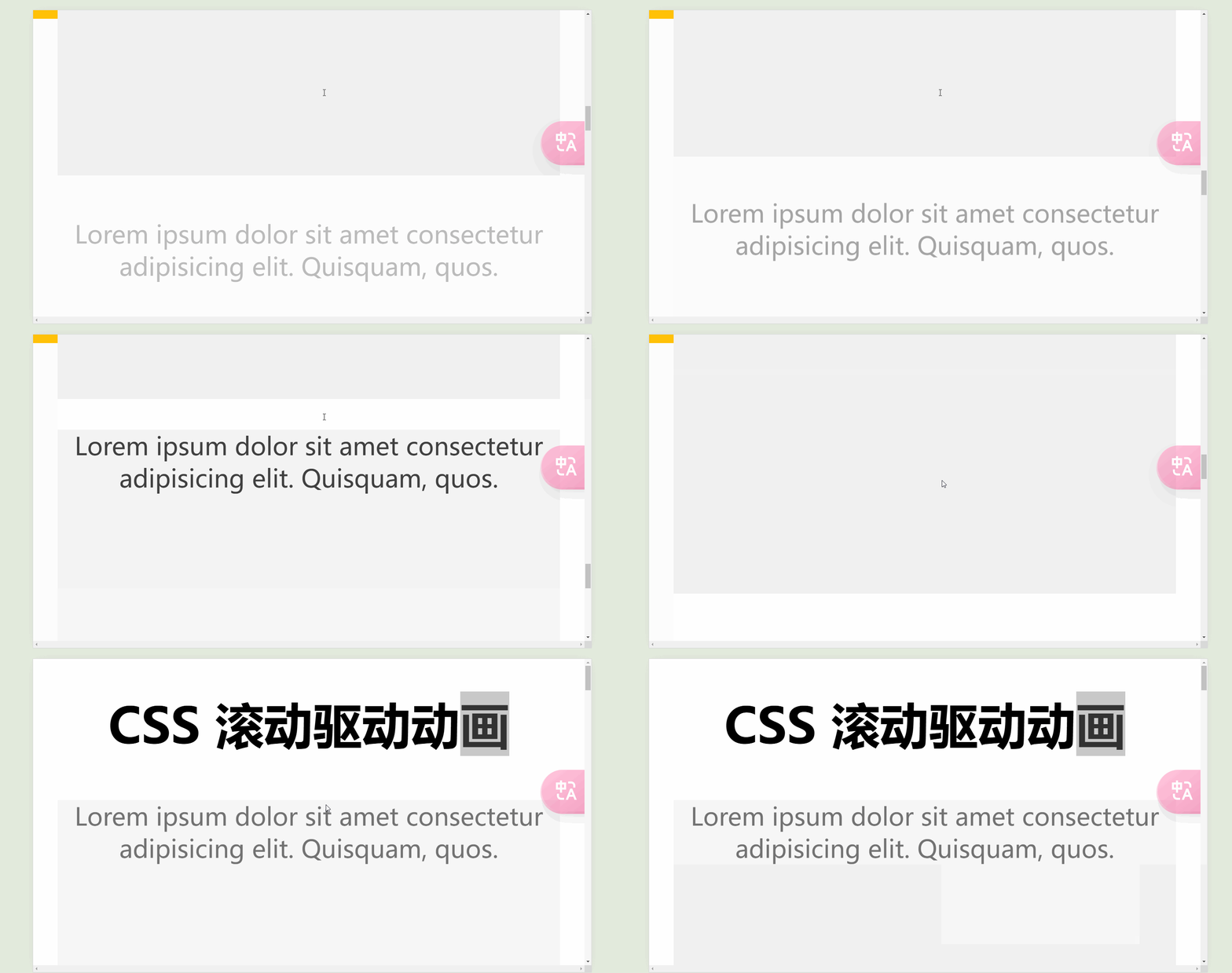
    <h1>CSS 滚动驱动动画</h1>
    <p class="scroll-item">Lorem ipsum dolor sit amet consectetur adipisicing elit. Quisquam, quos.</p>
    <p class="scroll-item">Lorem ipsum dolor sit amet consectetur adipisicing elit. Quisquam, quos.</p>
    <p class="scroll-item">Lorem ipsum dolor sit amet consectetur adipisicing elit. Quisquam, quos.</p>
    <p class="scroll-item">Lorem ipsum dolor sit amet consectetur adipisicing elit. Quisquam, quos.</p>
    <p class="scroll-item">Lorem ipsum dolor sit amet consectetur adipisicing elit. Quisquam, quos.</p>
    <p class="scroll-item">Lorem ipsum dolor sit amet consectetur adipisicing elit. Quisquam, quos.</p>
    <p class="scroll-item">Lorem ipsum dolor sit amet consectetur adipisicing elit. Quisquam, quos.</p>
    <p class="scroll-item">Lorem ipsum dolor sit amet consectetur adipisicing elit. Quisquam, quos.</p>
    <p class="scroll-item">Lorem ipsum dolor sit amet consectetur adipisicing elit. Quisquam, quos.</p>
  </div>
</body>

</html>
性能优化建议 🚀
- 使用合适的属性
- ✅ 优先使用
transform和opacity - ❌ 避免使用
width/height等触发重排的属性
- 减少动画复杂度
css
/* 推荐 */
.element {
  transform: translate3d(0, 0, 0);
  will-change: transform;
}- 控制动画范围
css
.scroll-animate {
  animation-range: entry 20% cover 40%;
  view-timeline-inset: 20% 0%;
}
常见问题解答 ❓
Q1: 动画不生效怎么办?
css
/* 添加特性检测 */
@supports (animation-timeline: scroll()) {
  .scroll-animate {
    animation-timeline: scroll();
  }
}
Q2: 如何处理移动端兼容性?
css
/* 提供回退方案 */
.element {
  opacity: 1; /* 默认状态 */
}

@supports (animation-timeline: scroll()) {
  .element {
    opacity: 0;
    animation: fadeIn linear;
    animation-timeline: view();
  }
}
高级应用技巧 🔥
1. 组合动画效果
css
.complex-animation {
  animation:
    fadeIn 1s linear,
    slideIn 1s linear;
  animation-timeline: view();
}
2. 自定义滚动时间线
css
.scroll-container {
  scroll-timeline: --custom-timeline block;
}

.animated-element {
  animation-timeline: --custom-timeline;
}
最佳实践总结 📝
- 始终提供降级方案
- 使用
@supports进行特性检测 - 注意动画性能优化
- 合理设置动画触发范围
- 避免过度使用复杂动画